WordPress E-Commerce & Payment Plugins Guide
Setting up a secure, reliable, and high-performing online storefront or payment processing pipeline on a WordPress website is one of the most critical foundational tasks for web developers, software architects, and digital entrepreneurs. Whether you are selling freelance consulting services, software licenses, custom digital assets, audio tracks, physical merchandise, or recurring membership subscriptions, your underlying payment architecture directly governs your transaction conversion rates, hosting resource utilization, page render speeds, and overall search engine visibility.
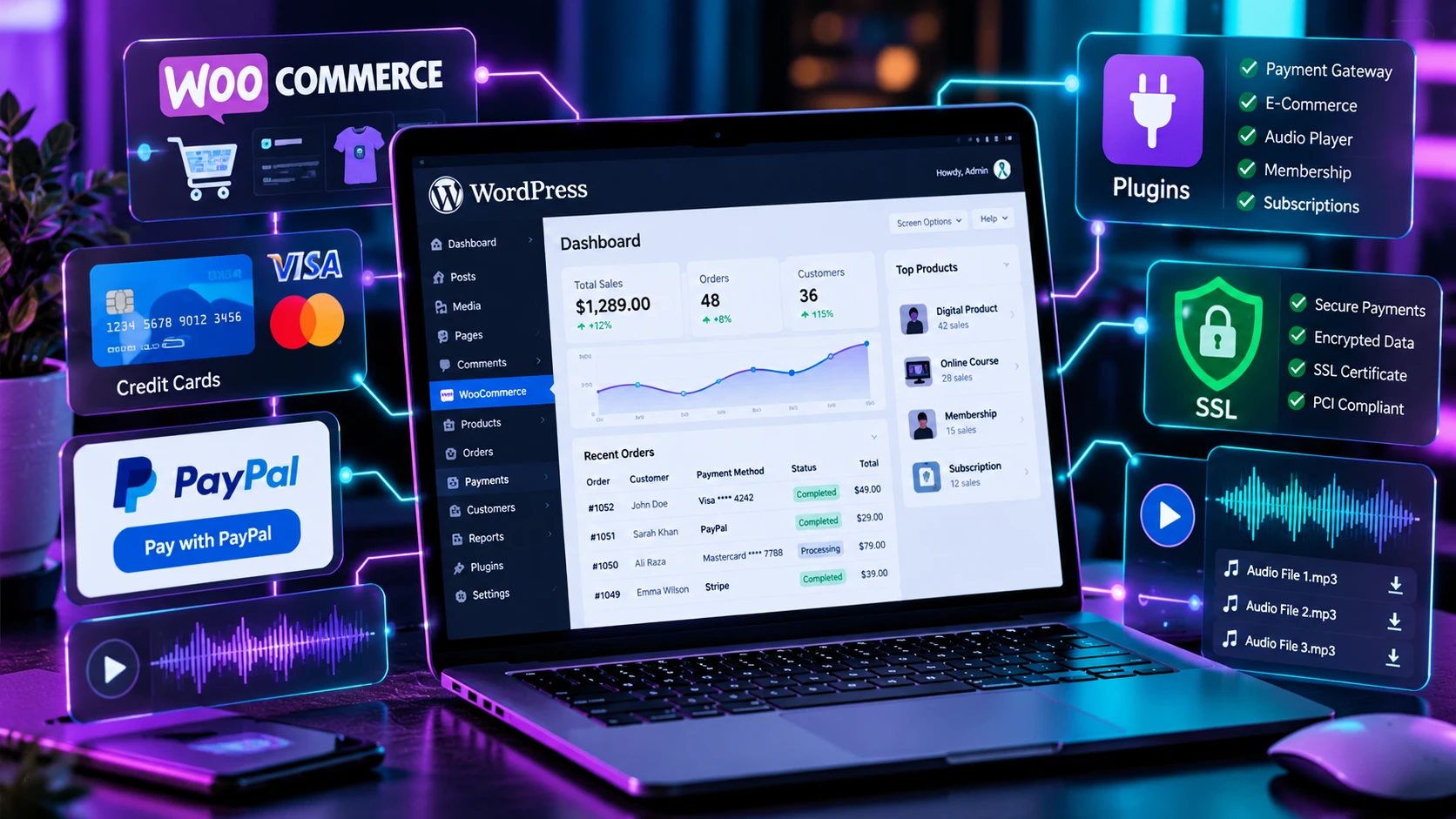
Many website owners and beginner developers fall into the common trap of blindly installing full-featured, heavy e-commerce suites without evaluating their actual operational requirements. While complex shopping cart platforms like WooCommerce are exceptionally well-suited for high-volume physical retail environments with multi-variable inventories, utilizing such a heavy framework merely to collect a single invoice payment, accept a freelance deposit, or place a donation button adds catastrophic database bloat and severe server bottlenecks.
This master technical guide offers an end-to-end blueprint for designing, deploying, and optimizing WordPress payment systems. We will analyze lightweight shortcode architectures versus full shopping cart engines, break down PCI-DSS compliance and Stripe Elements implementation, explore digital audio preview technology, and review high-yield internal linking structures to maximize search engine authority.
SECTION 1: Architectural Analysis — Shortcode Payment Gateways vs. Full E-Commerce Cart Engines
Before writing a single line of code or installing any plugin, web architects must conduct a structural performance audit to select the correct payment processing architecture. Installing inappropriate plugin infrastructure leads to bloated MySQL tables, uncached server queries, slow Core Web Vitals scores, and abandoned customer checkouts.
+---------------------------------------------------------------------------------------------------+
|                        LIGHTWEIGHT SHORTCODE GATEWAY VS. FULL SHOPPING CART                       |
+---------------------------------------------------------------------------------------------------+
| Lightweight Shortcode Architecture (ZAD PayPal / ZAD Stripe):                                     |
| - Ideal Use Cases: Service billing, retainer fees, single downloads, client invoices, donations.  |
| - Database Footprint: 0 custom MySQL tables added; uses standard WP options/transients.          |
| - Site Speed Impact: Near-zero (Scripts execute strictly on pages containing the shortcode).        |
| - Checkout Conversion Flow: 1-Click trigger modal; direct gateway redirection; instant response.  |
|                                                                                                   |
| Full Shopping Cart Architecture (WooCommerce Core + Addons):                                      |
| - Ideal Use Cases: Multi-item digital catalogs, physical inventories, audio marketplaces, bundles.|
| - Database Footprint: 15 to 30 custom database tables; persistent session data storage.            |
| - Site Speed Impact: Moderate to High (Requires specialized object caching and script loading).  |
| - Checkout Conversion Flow: Multi-step cart view -> billing fields -> gateway trigger -> order.   |
+---------------------------------------------------------------------------------------------------+
1.1 The Mechanics of Shortcode-Based Gateways
Shortcode gateways represent the lightest possible functional footprint for executing financial transactions in WordPress. Coded with pure PHP hooks, modern JavaScript, and WordPress Transients, shortcode plugins operate without creating additional database schema.
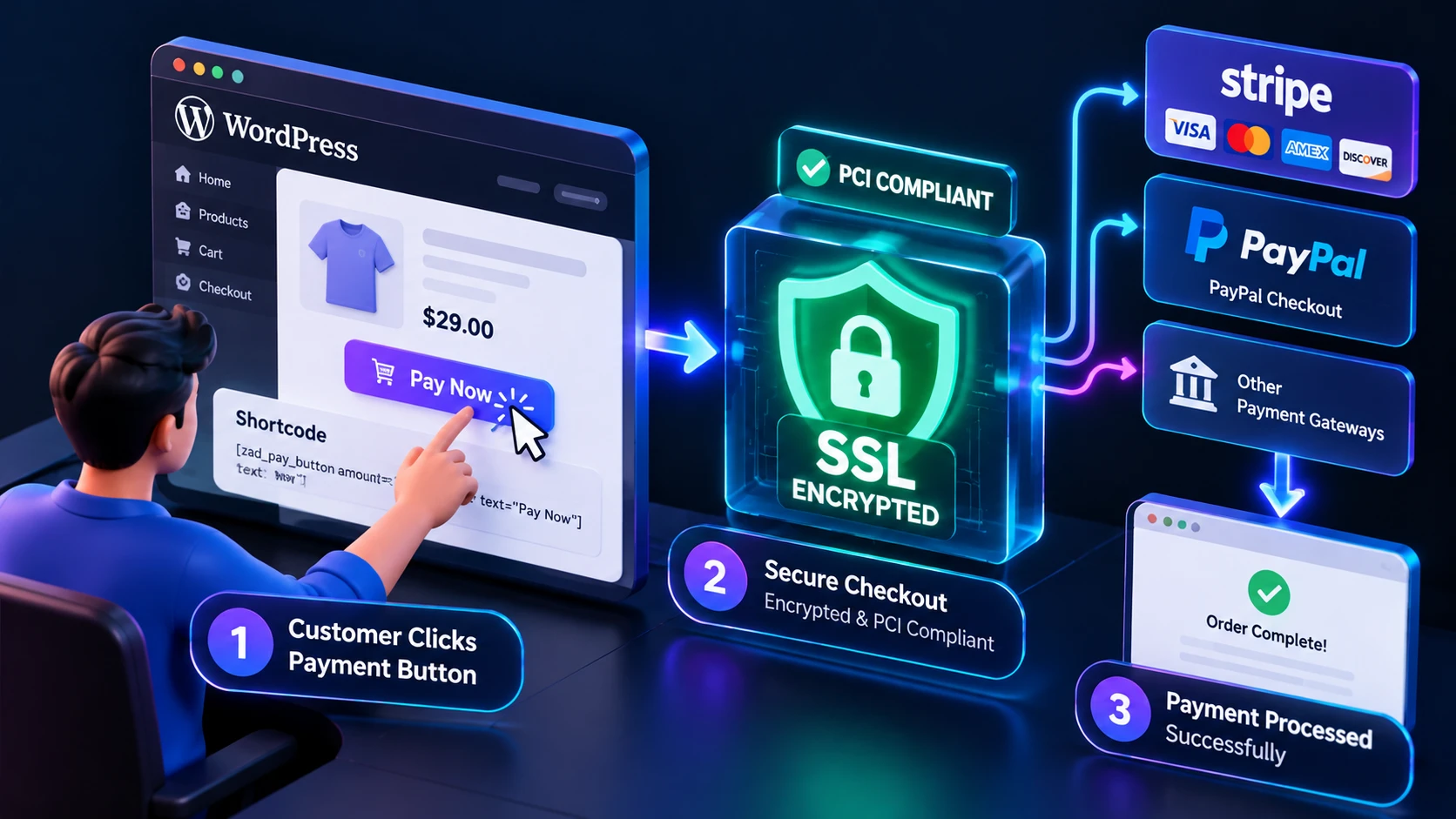
When a web page containing a shortcode (e.g., [zad_paypal_button] or [zad_stripe_payment]) is requested by a client browser, the server renders the HTML markup dynamically without triggering background cron jobs or global session queries.
- Database Hygiene: Standard WordPress websites run on core tables like
wp_postsandwp_postmeta. Installing heavy e-commerce suites creates custom tables likewp_woocommerce_order_itemsorwp_wc_orders. Shortcode utilities bypass custom tables entirely, leaving your database small, portable, and fast. - Elimination of Site-Wide Script Loading: Poorly developed plugins register assets globally, forcing scripts like
checkout.jsto load across unrelated blog posts and contact pages. Coded cleanly, shortcode plugins conditionally enqueue scripts strictly when the shortcode tag is present in the post content. - Conversion Rate Optimization (CRO): Every additional input field or confirmation step added to a checkout flow reduces completion rates by up to 10%. Direct shortcode buttons allow buyers to complete purchases immediately via trusted third-party overlays (PayPal, Google Pay, Apple Pay).
“For developers looking to integrate streamlined gateway endpoints, reviewing the official PayPal Developer documentation provides key insights into API session triggers.”
1.2 When a Full Shopping Cart Engine is Imperative
While shortcode gateways excel at simple, single-item transactions, complex retail business models require the advanced data structures provided by full cart engines like WooCommerce:
- Multi-Item Shopping Sessions: When customers need to combine multiple distinct products into a single order transaction.
- Complex Inventory & SKU Management: Real-time stock tracking, automated backorder processing, and physical shipping weight calculations.
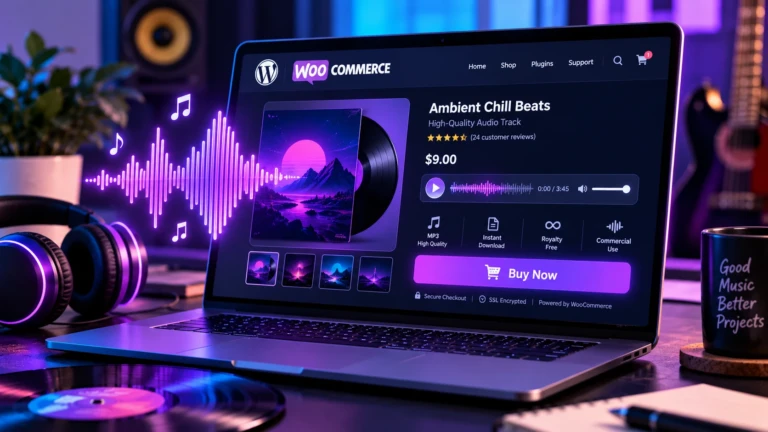
- Digital Media Libraries & Sample Previews: Hosting specialized product types, such as audio sample libraries, beat packs, and digital asset stores, where products require dynamic previews and variable licensing options.
When implementing full shopping cart frameworks, server performance optimization becomes paramount. Store managers must utilize High-Performance Order Storage (HPOS), object caching via Redis or Memcached, and lightweight, jQuery-free add-ons to maintain rapid page load speeds.
“When scaling a high-volume WooCommerce store, aligning custom checkout extensions with the WooCommerce High-Performance Order Storage standard is essential for database efficiency.”
SECTION 2: Payment Security, PCI-DSS Compliance, and Stripe Elements Architecture
Handling payment card information on a WordPress site introduces legal and regulatory compliance requirements. Processing credit card payments without proper tokenization exposes site owners to severe security threats and financial penalties.
“To ensure your WordPress payment forms satisfy SAQ-A requirements without storing credit card credentials locally, refer to the Stripe Elements security guidelines.”
+---------------------------------------------------------------------------------------------------+
|                               PCI-DSS COMPLIANCE & TOKENIZATION FLOW                              |
+---------------------------------------------------------------------------------------------------+
| [Customer Browser] ---> (Enters Card into Mounted Stripe Elements Iframe)                         |
|                                     |                                                             |
|                                     v                                                             |
|                         [Stripe Encrypted Server]                                                 |
|                                     |                                                             |
|                                     v (Generates Tokenized PaymentIntent ID)                      |
|                                     |                                                             |
| [WordPress Server] <----------------+                                                             |
| - Stores: Verified Token ID (`pi_3M...`)                                                          |
| - Never Touches: Raw 16-Digit Card Numbers, Expiration Dates, or CVC Security Codes               |
+---------------------------------------------------------------------------------------------------+
2.1 Understanding SAQ-A PCI Compliance
The Payment Card Industry Data Security Standard (PCI-DSS) governs how cardholder data must be handled. Websites that transmit or store raw credit card numbers on their host servers are subject to rigorous SAQ-D audits, requiring costly infrastructure scanning and penetration testing.
To achieve SAQ-A Compliance—the simplest compliance tier with minimal merchant risk—your WordPress site must ensure that raw card data never passes through or stores on your hosting server.
2.2 Tokenization via Stripe Elements
Modern credit card plugins achieve SAQ-A compliance through Stripe Elements. Stripe Elements mounts hosted iframe elements directly within your web form fields:
- When a user types their credit card number, expiration date, and CVC into your payment form, the data is captured inside an isolated iframe hosted on Stripe’s PCI-compliant infrastructure.
- Stripe validates the credentials client-side and returns a secure, single-use tokenized payload (
PaymentIntent ID) back to your WordPress frontend. - Your server passes this safe token ID to Stripe’s REST API via secure AJAX to finalize charges.
2.3 Strong Customer Authentication (SCA) & 3D Secure 2.0
Banking directives (such as Europe’s PSD2 regulation) mandate Strong Customer Authentication (SCA) for online financial transactions. Modern payment gateways must support 3D Secure 2.0 (3DS), which prompts cardholders to complete two-factor authentication inside their mobile banking apps.
Plugins built on modern Stripe APIs automatically detect when 3DS authentication is required by the customer’s bank, launching an in-place modal overlay seamlessly without breaking the user’s checkout session or redirecting them away from your site.
SECTION 3: High-Performance Audio E-Commerce & Sample Preview Engineering
Selling digital media assets—including music beats, stock audio clips, sound effects kits, podcasts, audiobooks, and video course samples—presents distinct engineering challenges. Audio customers demand interactive sample previews before purchasing, yet publishing unprotected audio files online opens your catalog to content theft and illegal downloading.
+---------------------------------------------------------------------------------------------------+
|                           AUDIO PREVIEW ARCHITECTURE & CONVERSION ENGINE                          |
+---------------------------------------------------------------------------------------------------+
| 1. Product Editor Meta Box ---> Upload Short Sample Clips (e.g., 30s low-bitrate snippets).       |
| 2. HTML5 Audio Engine --------> Renders responsive waveforms without jQuery dependencies.        |
| 3. Preview Enforcement ------> Enforces volume fade-outs and strict browser-level cutoffs.        |
| 4. Sticky Mini-Player -------> Persists player state across store pages using browser local storage.|
| 5. Post-Playback CTA ---------> Displays dynamic "Buy Now / Add to Cart" prompt upon preview end.  |
+---------------------------------------------------------------------------------------------------+
3.1 Implementing Secure Preview Offsets and Volume Fade-Outs
To protect full-length commercial tracks from unauthorized extraction, store managers must adopt a two-tier media file strategy:
- Public Preview Snippets: Short, lower-bitrate MP3/AAC sample files (e.g., 30-second clips) uploaded via the WordPress Media Library.
- Protected Master Downloads: Full-length, high-resolution WAV/FLAC audio assets stored inside protected, non-public WooCommerce download directories.
A well-architected audio player plugin automatically calculates preview durations and triggers a smooth 2-second logarithmic volume fade-out prior to terminating playback. This provides a polished listening experience while signaling that the sample has concluded.
3.2 Continuous Playback via Sticky Mini-Players and Local Storage
Standard web browsing causes full page reloads when clicking between navigation links, which forcibly interrupts active HTML5 audio playback.
To overcome this UX obstacle without rebuilding your entire site on complex single-page app (SPA) AJAX frameworks, modern audio plugins implement LocalStorage State Persistence:
- As an audio track plays, the script writes current timestamp offsets and track metadata into the browser’s
localStoragesession. - When the user navigates to a new product page or blog post, the plugin instantly detects stored playback states during the
DOMContentLoadedevent. - The sticky mini-player bar mounts dynamically at the bottom of the viewport, restoring the exact track title, thumbnail artwork, and pause position—allowing the user to resume listening seamlessly.
3.3 End-of-Preview Call-to-Action (CTA) Prompts
The moment an audio sample finishes playing represents the point of maximum buying intent. Modern audio player add-ons leverage this moment by dynamically sliding open an interactive conversion prompt directly over the sticky player bar, inviting the visitor to add the item to their cart or proceed to instant checkout.
SECTION 4: Featured Free WordPress E-Commerce & Payment Utilities
To streamline your website setup with clean, high-performance code, explore our officially maintained, open-source WordPress plugins:
🛠️ Official Plugin Downloads
- ZAD Simple PayPal Payment Button PluginAn ultra-lightweight, single-file payment gateway designed to collect fixed fees, custom consulting payments, and non-profit donations via simple shortcodes with zero database bloat.
- ZAD Stripe Credit Card Payments PluginA standalone, PCI-compliant payment plugin that embeds modern Stripe Elements credit card forms, supports 3D Secure 2.0 authentication, and displays real-time on-page receipts.
- ZAD Product Music Player AddonA high-performance WooCommerce add-on featuring multi-track sample editors, automatic preview cutoff limits, sticky persistent mini-players, and end-of-playback buy prompts.
SECTION 5: Step-by-Step Implementation Tutorials & Cluster Guides
Deepen your technical knowledge and solve specific integration challenges by reading our dedicated child cluster articles:
- 📚 WooCommerce for Services: Accept Payments Without Cart BloatLearn how to set up zero-bloat payment forms for services, invoices, and digital retainers using simple shortcode triggers.
- 📚 Best Checkout for WooCommerce: Payment Gateways & Optimization GuideA complete developer guide to configuring PCI-compliant Stripe card forms, comparing one-page checkouts, and displaying instant receipt confirmations.
- 📚 WooCommerce Upsell Plugin Guide: Boost Digital Asset & Audio Store SalesDiscover how to attach audio sample files to WooCommerce products, enforce 30-second preview limits, and boost beat store conversion rates.
SECTION 6: Technical Troubleshooting & Operational Best Practices
To ensure long-term stability and security across your WordPress payment stack, implement these operational procedures:
Plaintext
+---------------------------------------------------------------------------------------------------+
|                        PRODUCTION PAYMENT GATEWAY CHECKLIST                                      |
+---------------------------------------------------------------------------------------------------+
| [ ] Mandatory SSL Protocol: Ensure valid HTTPS configuration across all transaction endpoints.    |
| [ ] Environment Verification: Toggle API settings from Test/Sandbox to Live production keys.    |
| [ ] Cache Exclusion Rules: Exclude checkout pages and payment endpoints from page caching.       |
| [ ] Webhook Verification: Configure Stripe/PayPal IPN webhooks for async transaction logging.     |
+---------------------------------------------------------------------------------------------------+
- Enforce SSL/TLS Certificates: Payment APIs (Stripe and PayPal) reject unencrypted HTTP requests. Always enforce HTTPS across your entire domain using trusted SSL certificates.
- Exclude Checkout Endpoints from Caching: Never allow caching plugins (WP Rocket, LiteSpeed, Cloudflare) to store HTML page responses containing dynamic payment nonces or AJAX receipt tokens.
- Set Up Automated Webhooks: Configure Stripe and PayPal webhooks inside your gateway dashboard to ensure order statuses update reliably even if a customer closes their browser immediately after paying.
SECTION 7: Frequently Asked Questions (FAQ)
Can I accept credit card payments on WordPress without installing WooCommerce?
Yes! You can use standalone shortcode plugins like ZAD Stripe Credit Card Payments or ZAD Simple PayPal Payment Button to process card payments directly on any page without installing WooCommerce or creating custom database tables.
Is an SSL certificate required to accept online payments?
Yes. Modern payment gateways like Stripe and PayPal require an active SSL certificate (https://) to secure API key exchanges and encrypt client-side data transmission.
How do I protect full audio tracks from being downloaded illegally?
You should always upload short, lower-bitrate audio sample clips (e.g., 30-second previews) to your public media library for previews, while keeping your full-length, high-resolution original audio files inside secure WooCommerce digital download directories.
Will adding payment buttons slow down my website load time?
Lightweight shortcode plugins coded in native PHP and modern JavaScript do not impact site speeds. Avoid heavy multi-step cart plugins if you only sell a few digital products or services.