Small Business Invoice Generator: Free Excel & Spreadsheet Download
📖 Pillar Guide: Learn how to structure your complete billing workflow in our Small Business Invoice Guide.
Managing client billing, tracking pending payments, and issuing professional receipts can quickly become overwhelming for small business owners, freelancers, and agency teams. Creating invoices manually from scratch often leads to formatting errors, miscalculated totals, and delayed client payments.
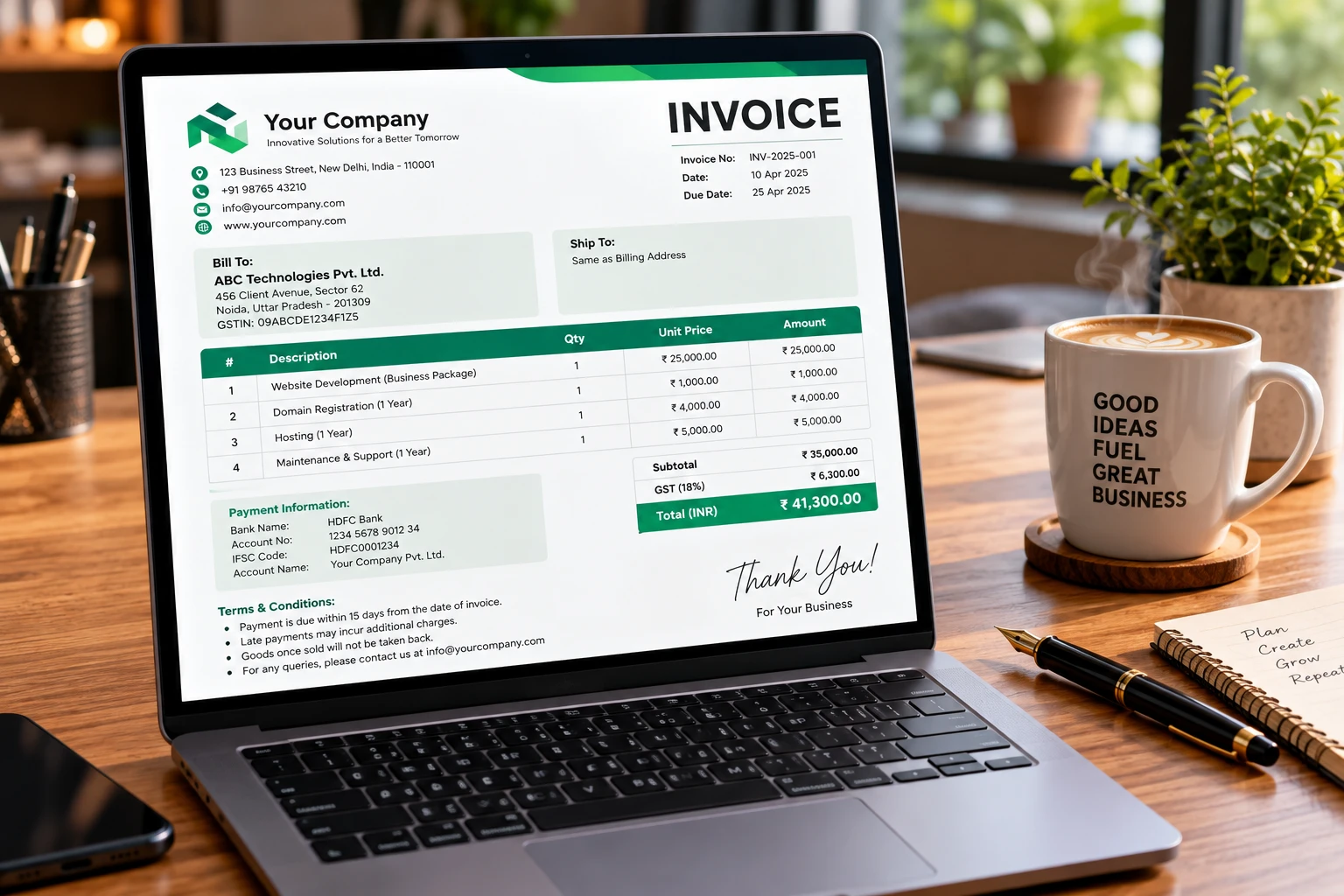
Our Small Business Invoice Generator is a lightweight, pre-formatted spreadsheet template designed for Microsoft Excel and Google Sheets. It automates itemized calculations, tax additions, and discount subtractions, allowing you to generate professional invoices in minutes.
Quick Download Links
Download your free copy of the invoice generator spreadsheet template below:
(Format: .XLSX / Google Sheets • Free Download • Pre-Calculated Formulas Included)
Why Every Small Business Needs an Automated Invoice Generator
Relying on informal text messages or manual text documents for billing creates unnecessary friction in your accounting pipeline. A structured invoice generator offers critical operational advantages:
1. Eliminates Arithmetic and Calculation Errors
Manual calculations during peak business hours frequently lead to wrong total amounts, incorrect sales tax application, or forgotten line items. Our pre-built formulas recalculate line item totals, sub-totals, and final balances automatically.
2. Establishes Professional Brand Authority
First impressions matter, but lasting professional impressions depend on operational efficiency. Delivering crisp, well-structured invoices complete with your business logo and clear payment terms builds trust with corporate clients.
3. Simplifies Tax Preparation and Auditing
Keeping standardized invoice records throughout the year makes tax filing seamless. Instead of hunting through email threads, you maintain a clean digital archive of every billed invoice.
Key Features of the Invoice Generator Template
- Automated Line-Item Totals: Built-in formulas calculate unit prices multiplied by quantities instantly.
- Custom Tax & Discount Fields: Easily insert dynamic tax percentages and promotional discounts.
- Print & PDF-Ready Layout: Formatted specifically to fit standard A4 and Letter page sizes without awkward page splits.
- Standardized Metadata Header: Dedicated fields for invoice numbers, issue dates, payment due dates, and PO numbers.
Step-by-Step Guide: How to Generate Your First Invoice
- Download and Open the Spreadsheet: Select Mirror 1 or Mirror 2 above to download the file into Excel or Google Sheets.
- Configure Your Business Identity: Replace the placeholder header with your business name, logo, contact address, and tax ID number.
- Input Client Details: Fill out your client’s business name, billing address, and point of contact information.
- List Products or Services: Add item descriptions, quantities, and hourly rates or unit prices.
- Set Payment Terms: Specify your preferred payment methods (e.g., direct bank transfer, wire, online portal) and net due dates.
- Save and Export to PDF: Navigate to File > Export > PDF, save the invoice file, and send it directly to your client via email.
Frequently Asked Questions (FAQ)
Is this invoice generator free for commercial use?
Yes. The spreadsheet template is 100% free to download, edit, and use for unlimited client invoicing.
Can I customize the colors and fonts to match my brand?
Absolutely. Since the file is fully editable in Microsoft Excel and Google Sheets, you can adjust color palettes, font styles, and table borders as needed.