Personal Expense Tracker Spreadsheet: Free Download for Excel & Google Sheets
📖 Pillar Guide: Learn how to structure your complete financial plan with our main Personal Budget Guide.
Managing personal finances, daily expenditures, and monthly household budgets can quickly become overwhelming without a structured framework. Many individuals rely on memory or scattered receipts, which often leads to cash leaks, unexpected debt, and unfulfilled savings goals.
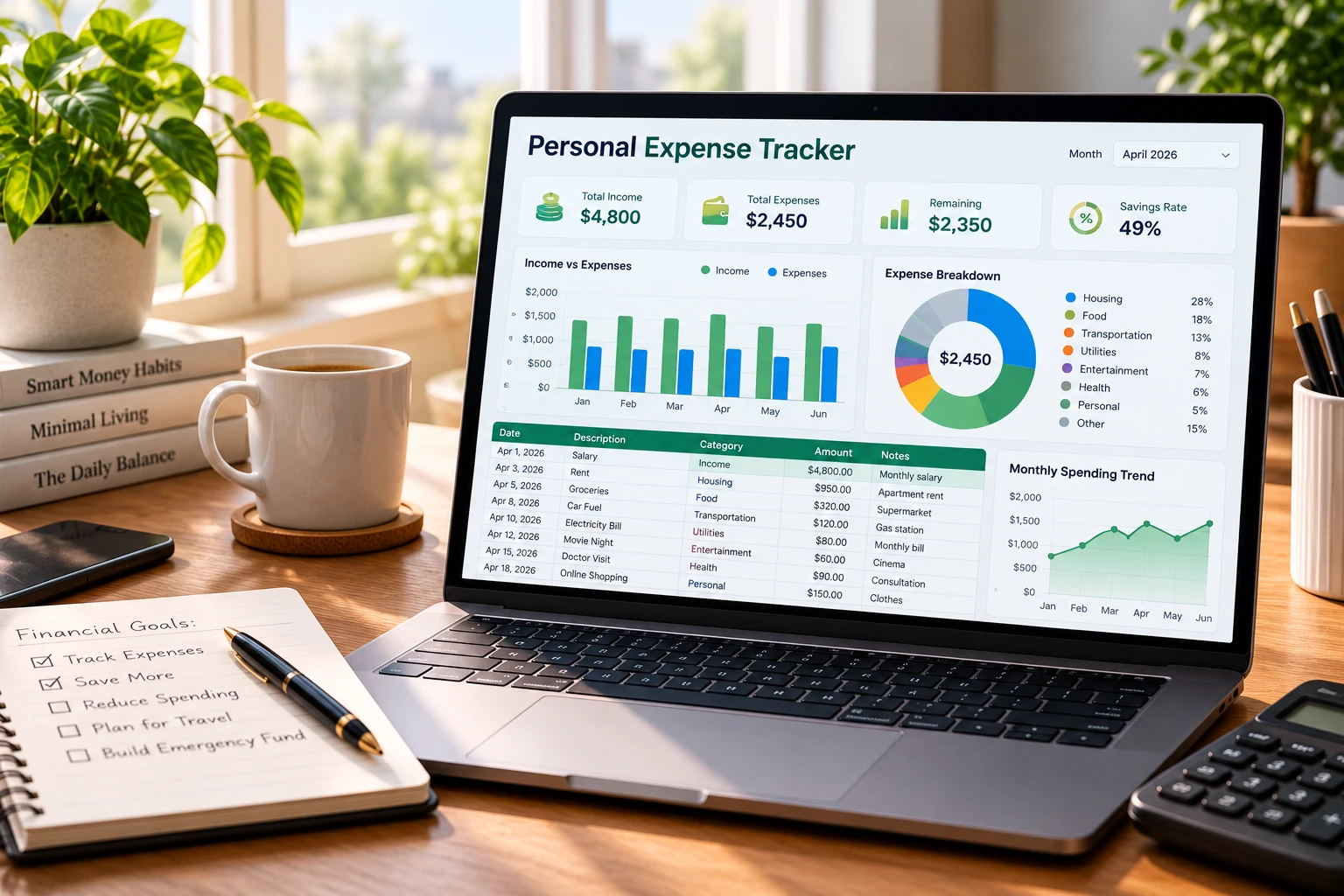
Our Personal Expense Tracker Spreadsheet is an easy-to-use, fully automated template designed for Microsoft Excel and Google Sheets. It helps you gain complete control over your cash flow, track recurring bills, and build financial security without requiring complex software or paid subscriptions.
Quick Download Links
Download your free copy of the spreadsheet template using either of the direct mirrors below:
Why You Need a Dedicated Expense Tracker Spreadsheet
Tracking spending manually in a notebook or relying entirely on banking apps often leaves critical gaps in your budgeting strategy. A dedicated spreadsheet provides a centralized dashboard where every dollar is accounted for.
1. Eliminates Unexplained Cash Leaks
Small daily purchases—such as morning coffees, dining out, or unused digital subscriptions—add up significantly over a month. By logging entries daily into pre-set categories, you immediately identify unnecessary spending patterns.
2. Complete Data Privacy and Control
Unlike third-party budgeting apps that require direct access to your bank accounts and credentials, a local spreadsheet keeps your financial data 100% private. Your records stay stored safely on your device or personal cloud storage.
3. Fully Customizable Layout
Every household has unique financial priorities. This template allows you to modify expense categories, add custom formulas, and set personalized monthly savings targets to match your lifestyle.
Key Features of the Tracker Template
- Automated Cash Flow Calculations: Built-in formulas instantly calculate total monthly income, total expenses, and remaining net cash balance.
- Pre-Set Budget Categories: Organized sections for housing, utilities, groceries, transportation, insurance, entertainment, and personal savings.
- Multi-Format Compatibility: Works smoothly across Microsoft Excel, Google Sheets, Apple Numbers, and mobile spreadsheet apps.
- Zero Macro Dependencies: Uses clean, native spreadsheet functions so you never encounter security warnings or script errors.
Step-by-Step Guide: How to Use the Expense Tracker
- Download and Open the File: Click Mirror 1 or Mirror 2 above to download the
.xlsxfile, or upload it to your personal Google Drive account. - Setup Monthly Income: Navigate to the top summary section and input your regular salary, freelance earnings, or secondary income streams.
- Log Expenditures Daily: Whenever you make a purchase, log the transaction date, amount, and corresponding spending category.
- Monitor Your Net Surplus: Review the automated summary charts at the end of each week to ensure your spending stays within your planned limits.
Frequently Asked Questions (FAQ)
Is this expense tracker template completely free to use?
Yes. The Personal Expense Tracker Spreadsheet is 100% free to download, edit, and share for personal or commercial use.
Can I use this template on Google Sheets?
Yes. Simply upload the downloaded .xlsx file to Google Drive and select “Open with Google Sheets” for full cloud-based editing.
Does this spreadsheet work on mobile devices?
Yes. You can edit your spreadsheet on iOS or Android using the official Microsoft Excel or Google Sheets mobile applications.