Doc to PDF Converter
Free Online Word to PDF Converter: Fast, Private & Free
Turning your Microsoft Word documents into clean, professional PDF files shouldn’t mean compromising on file security, enduring slow upload queues, or dealing with broken formatting.
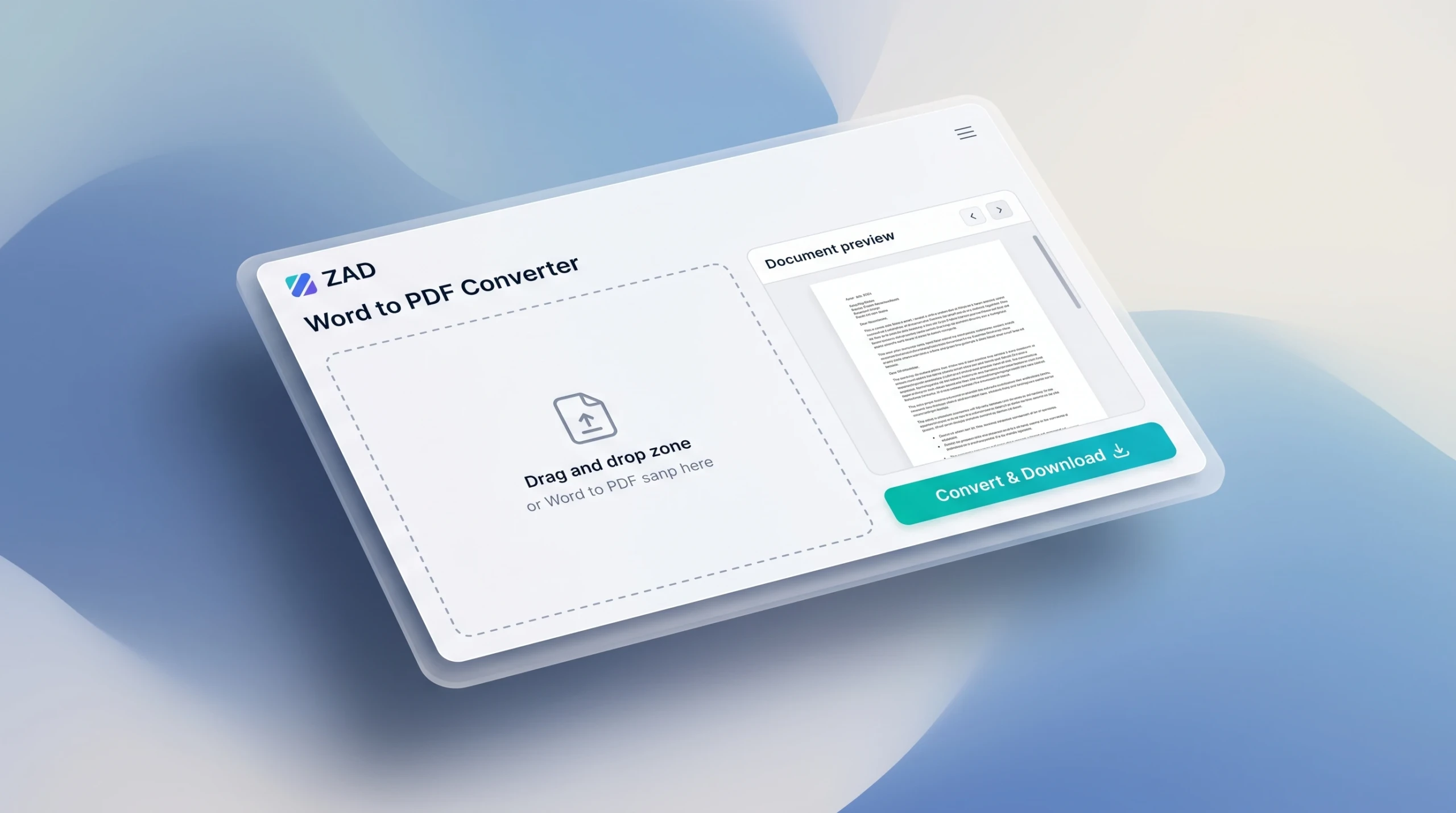
Our Online Word to PDF Converter tool above enables you to convert standard .docx files directly into high-fidelity PDF documents instantly. There are no file size limits, no email signups required, and most importantly—your files never leave your web browser.
Word (.docx) to PDF Converter
Convert Microsoft Word documents to crisp, high-resolution PDF files with live preview.
Choose a Word File (.docx) or Drag & Drop Here
Maximum file size: 20 MB • Converted locally on your device
How to Convert Word (.docx) to PDF in Seconds
Using the converter tool above is straightforward and requires only three quick steps:
- Select or Drag Your Document: Drag your Microsoft Word file (
.docx) into the dashed upload area above, or click to browse files from your computer or phone[cite: 1, 3]. - Review the Live Interactive Preview: The tool will instantly parse and display your text, tables, and document layout right on the screen so you can verify everything looks right before exporting[cite: 1, 3].
- Export & Save: Click the Convert & Download button. Your document will render into an optimized, print-ready PDF and download directly to your device[cite: 1, 3].
Why Choose Our Client-Side Word to PDF Converter?
Traditional online PDF converters upload your confidential files to remote third-party cloud servers. That server has to queue your document, execute background software, and temporarily save your data. Here is why our tool takes a completely modern, superior approach:
1. 100% Client-Side Privacy & Security
Your sensitive documents—whether they are legal contracts, business plans, financial reports, or personal resumes—are processed entirely on your local machine using modern browser technology. Nothing is ever transmitted to, stored on, or read by our web server or database.
2. Zero Wait Times & Instant Conversion
Because processing happens locally within your web browser, you bypass server bottlenecks, slow network upload delays, and queue limits. Even multi-page reports convert in a matter of seconds.
3. Exact Layout & Typography Retention
Word documents frequently shift formatting when opened across different devices, operating systems, or versions of Microsoft Office. Converting your .docx to a PDF locks your fonts, margins, page breaks, and structural layout in place so your recipients see exactly what you intended.
4. Works Seamlessly on Any Device
Whether you are on Windows, macOS, Linux, an iPad, or an Android smartphone, our responsive converter works directly in Google Chrome, Safari, Firefox, and Edge without installing extra software or browser extensions.
Word to PDF Conversion: Common Use Cases
- Resumes & Job Applications: Ensure ATS readers and hiring managers view your CV with consistent fonts, margins, and design elements across all screens.
- Invoices & Quotes: Protect commercial proposals from accidental edits by distributing final copies in standard PDF format.
- School & Academic Papers: Convert term papers, theses, and research assignments into PDF format to meet strict submission guidelines.
- Contracts & Agreements: Finalize editable drafts into read-only, non-editable formats ready for digital signatures.
Frequently Asked Questions (FAQs)
Is this Word to PDF converter completely free?
Yes. You can convert as many .docx files as you need with zero restrictions, subscription fees, or watermarks.
Can anyone else see or access my uploaded files?
No. Unlike other converters that upload your data to remote cloud servers, all processing happens locally inside your device’s web browser. Your data never touches our server.
Why should I convert Word to PDF before sharing?
Sharing an editable .docx file risks accidental modifications and formatting distortions if the recipient does not have the exact same fonts or Office versions installed. A PDF guarantees identical visual presentation across every platform, mobile phone, and printer.
What file types are supported?
The tool supports modern Microsoft Word .docx documents. If you have an older .doc file, open and save it as .docx in Word or Google Docs before converting.